HCDE 536: ASSIGNMENT 2
Concept #1
How Might We #1: How might we help novice event planners feel less overwhelmed by leveraging proven artifacts, practical tips, and simulations from experienced event planners?
Name: Host Hive
A centralized hub of modular, structured templates that make complex tasks easier to start and execute. It connects experts and novices through an incentivized exchange, where proven frameworks are shared, adapted, and improved.
Behavioral Pattern Reference from A1 - Pattern #3: Picking up information quickly by learning from examples
The most effective way to learn event planning and execution as a novice is by learning from experiences of experienced hosts, using proven templates and workflows, and then adapting them to fit each event’s specific needs. This is why having a central hub for event planning is essential to address this pattern.
Mindset (Novice Users): “The Fog of Execution”
Trying to get over cognitive block of feeling overwhelmed and not knowing where to start.
Decision Fatigue: Users are overwhelmed by the sheer volume of choices.
Outcome-Oriented: Users want to know what to do next to get planning their event started using whatever tools and tips they can find.
Search for Community Endorsements: When users choose a template, they are looking for proof and validation from the community that it works and has been proven true.
Success is going from “not knowing where to start” to confidently executing a well-organized event using clear, structured templates.
“I really want to throw a surprise party for my sister’s birthday, but I’ve never planned an event and don’t know where to start!” - User B
Concept #1: Storyboard 1
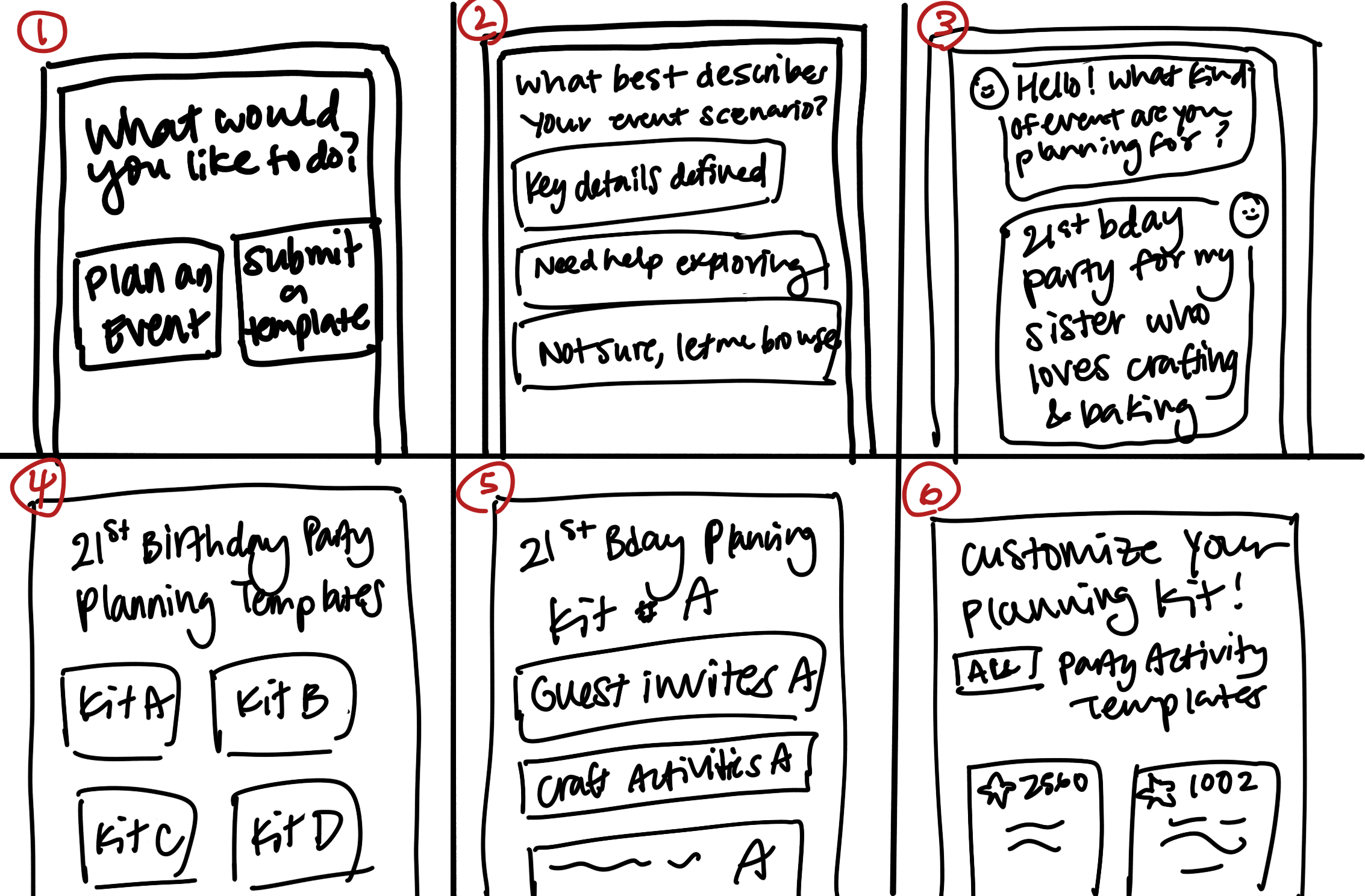
User enters app and is greeted by selection on how they want to Interact with templates (browse or contribute)
Novice user engages with chat bot to curate templates
Output of template kits curated for their event OR choose your own adventure option
User opens curated planning template kit and sees modular planning templates by task/phase
Templates for each category are sorted by community voted “gold standard”
User is able to drag and drop different templates based on what makes sense for their event / scenario
Concept #1: Storyboard 2
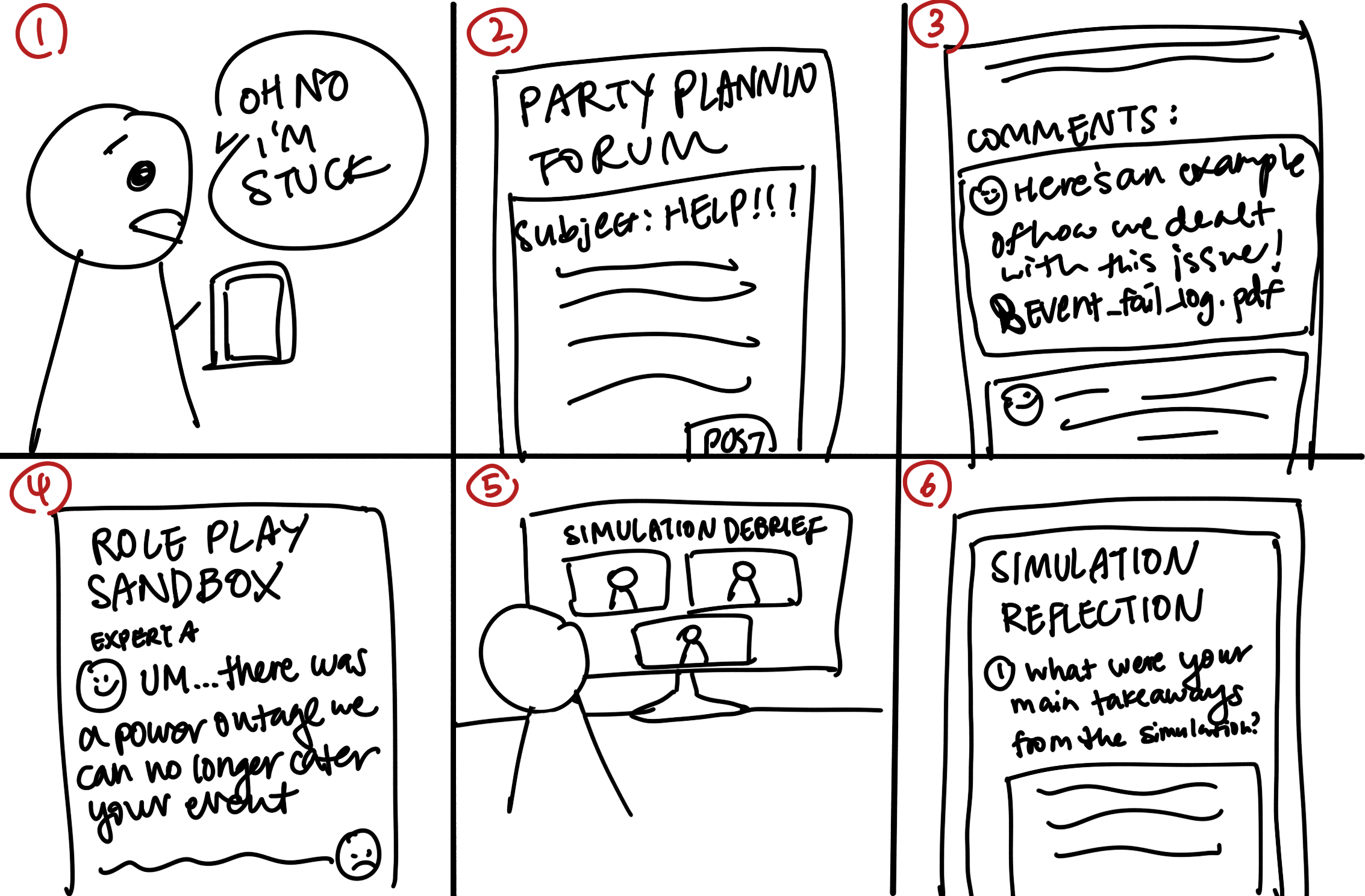
Novice user is in the middle of planning an event and runs into an issue
Novice user posts issue in forum for experienced users to provide input / give advice
Experienced users share fail-safe logs for novice user to learn from
Novice users can run simulations and engage experienced users for decision-making practice
Novice users and experienced users can debrief after a simulation
Novice users capture notes post-simulation to keep in mind for actual event day
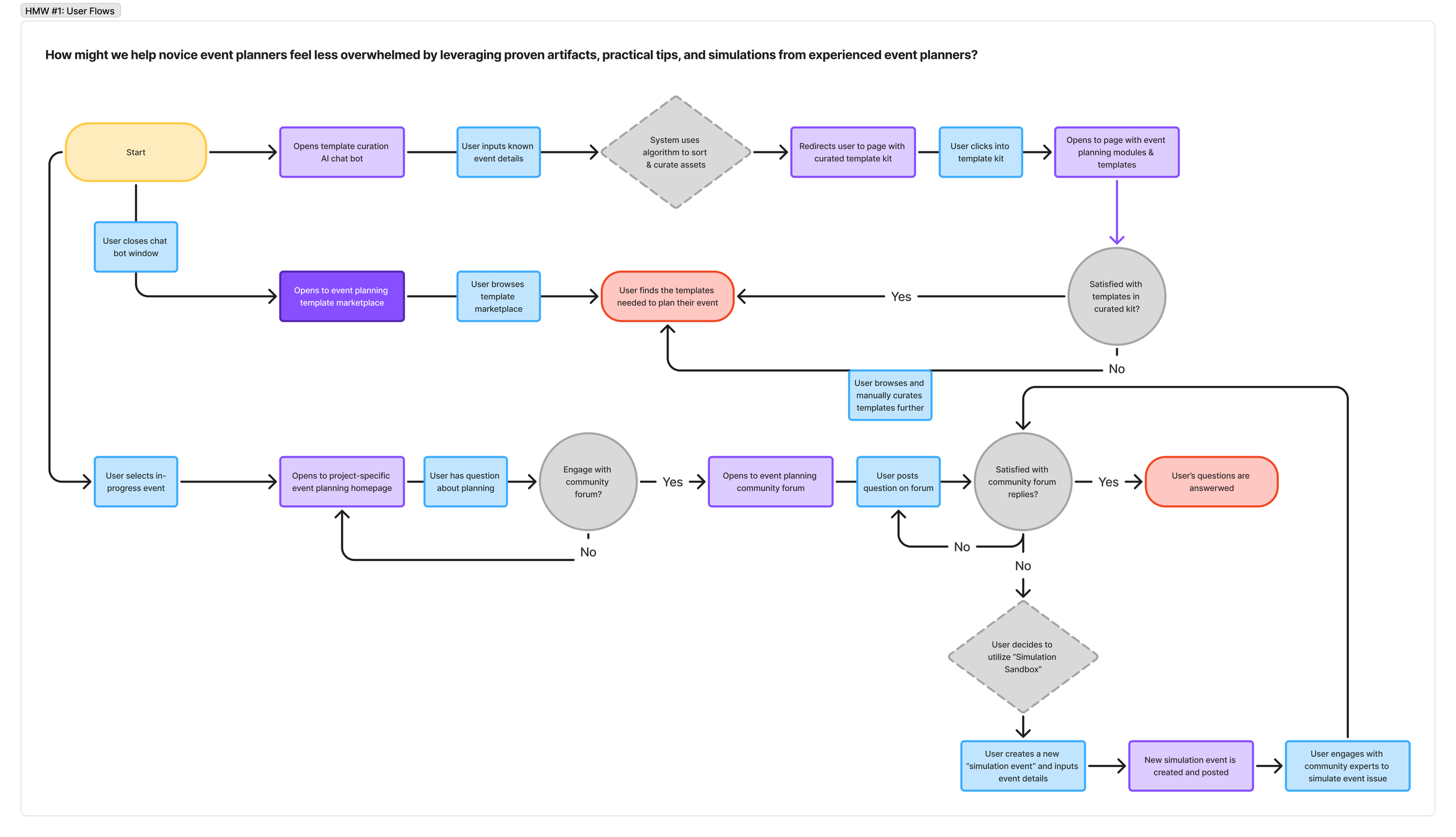
Concept #1: User Flow
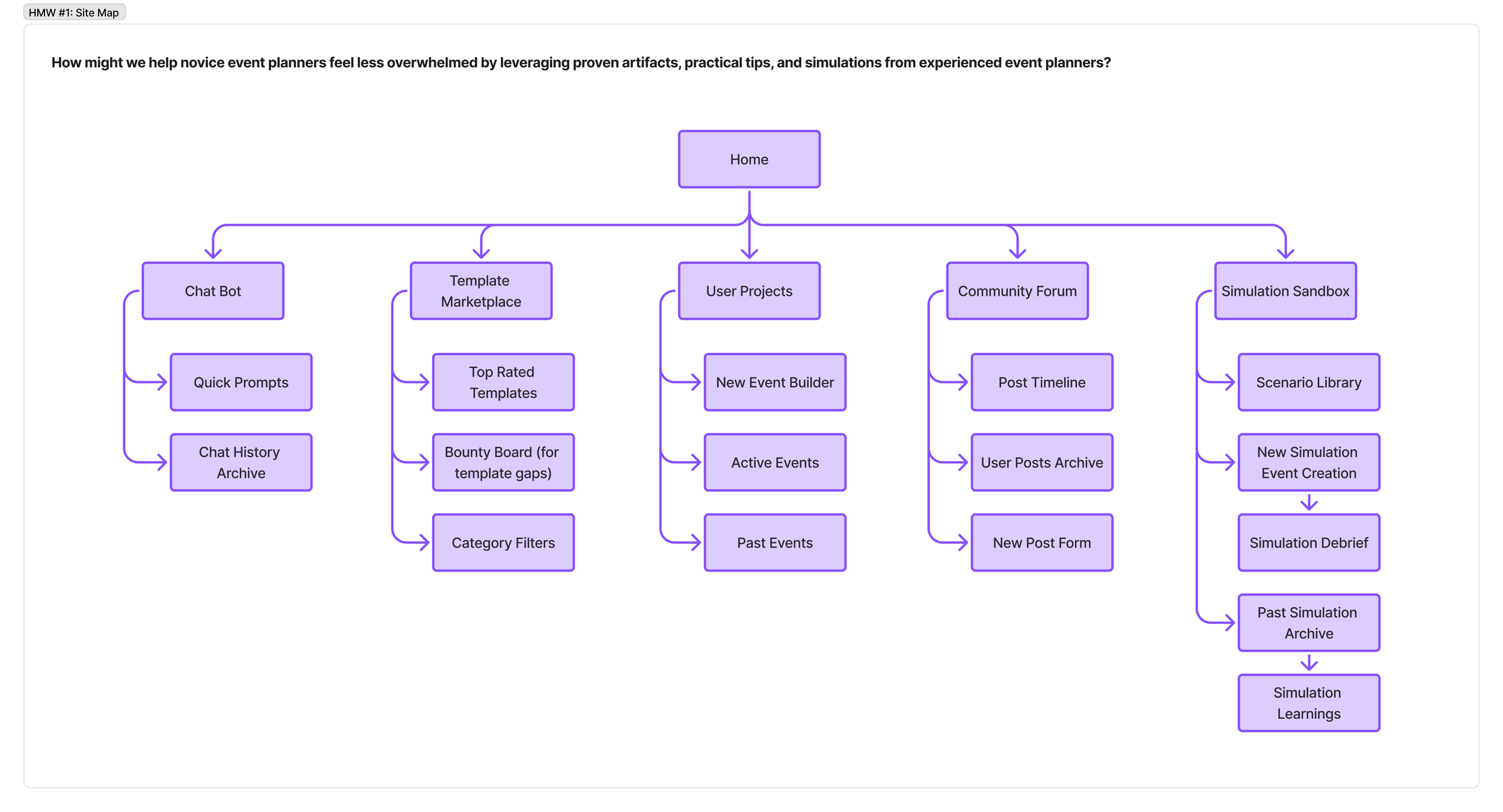
Concept #1: Information architecture site map
Concept #2
How Might We #2: How might we lighten the cognitive load of switching between tasks in a fast paced digital and physical environment when planning events for different communities?
Name: FocusInbox
A centralized hub for all messaging services with customized filtering, community-based grouping, and an assistive layer that helps prioritize, organize, and respond across conversations. It transforms fragmented notifications into structured, context-aware streams, making it easier to stay on top of multiple communities without cognitive overload.
Behavioral Pattern Reference from A1 - Pattern # #1: Fragmented Attention from Context Switching
Switching between multiple communities and platforms creates cognitive overload, making it difficult to stay updated, track ongoing conversations, and efficiently switch contexts to respond thoughtfully and effectively.
Mindset: “Present everywhere, grounded nowhere.”
Context-Switching Overload: Users are in a fragmented, high-context-switching mindset trying to keep up across multiple conversations and communities while feeling mentally stretched. Their cognitive bandwidth is limited, so attention is constantly being split and reloaded across contexts.
Limited Cognitive Bandwidth: Users are essentially trying to “stay present everywhere at once,” but each switch comes with a cost (lost context, reduced clarity, and growing fatigue)
Success is being able to quickly reorient in any thread, understand what matters right now, and respond confidently without needing to re-read or mentally reconstruct everything from scratch.
“I feel like I’m spread out everywhere at once, but I can’t fully keep up with any one conversation.” - User A
Concept #2: Storyboard 1
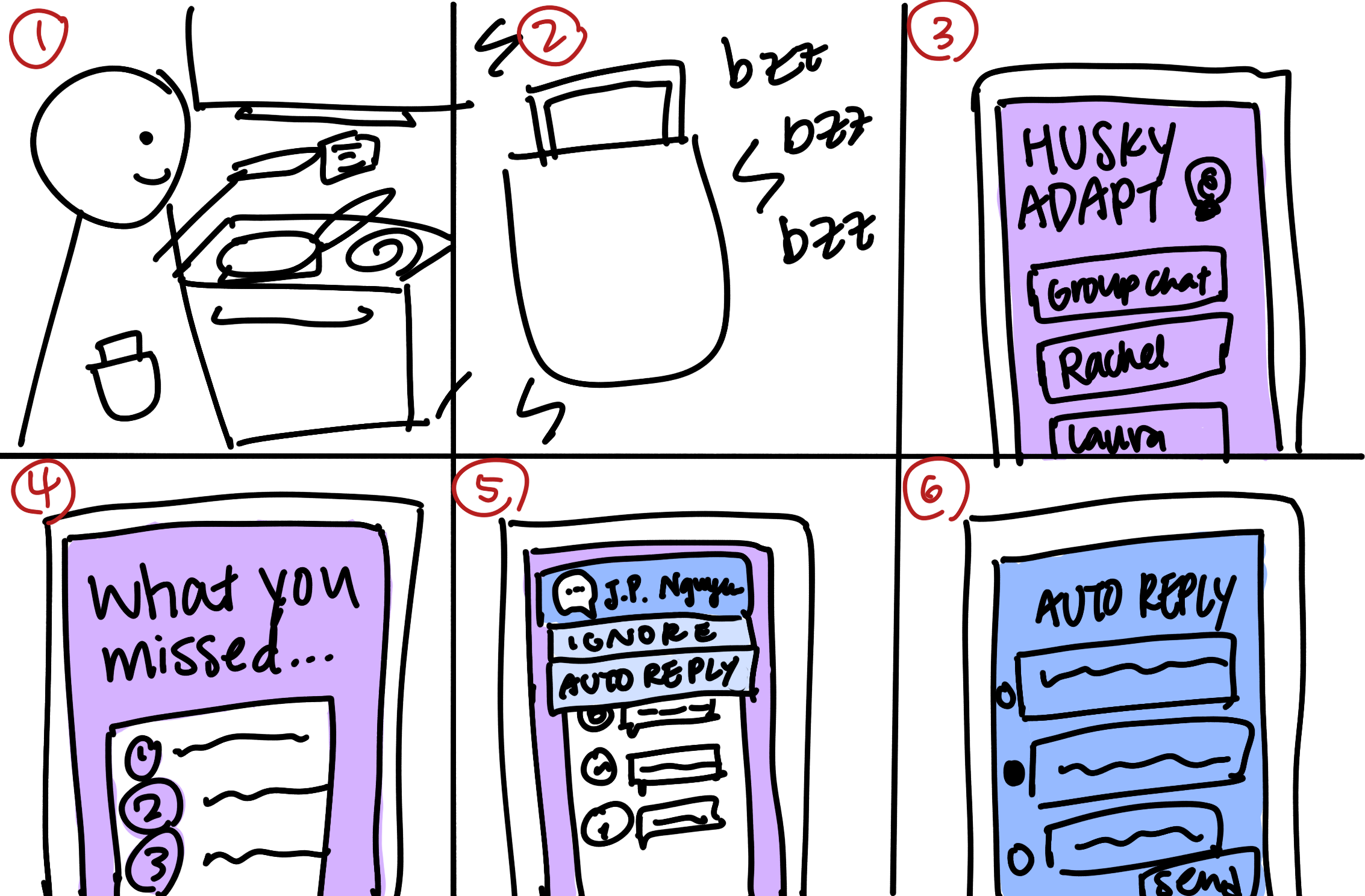
User is doing something else (cooking) and not looking at phone in pocket
User gets notification and identifies based on haptic feedback (buzzing)
App opens up to community-specific hub > everything is a specific color
User is greeted with pop-up notification asking if they want to see AI-generated summary of all messages in the specific community since they last checked it
User is notified they’re getting pinged and tagged in other communities
User has the option to send an auto-reply while they focus on the current community messages
Concept #2: Storyboard 2
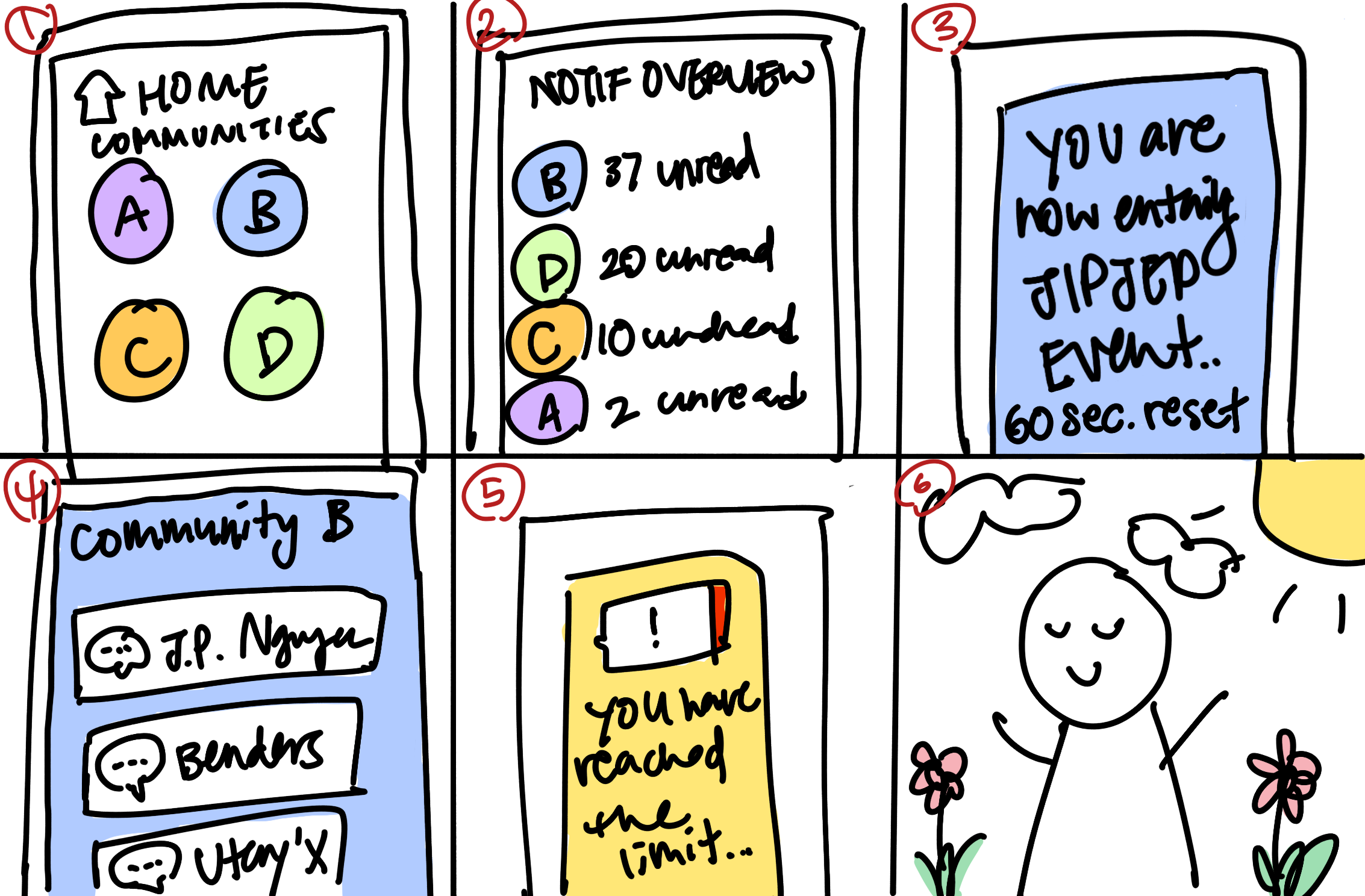
User finished w/ Community A now switches to home dashboard
User sees dashboard of outstanding digital interactions as a "heat map."
System shows loading screen as a visual cue for user signaling transition between two communities
User enters a different community that is a different color, as a visual cue differentiating the different communities
User sees widget visually depleting like a battery with a pop-up that says they are reaching a "context-switching" pre-set limit and should step away to mentally reset.
System prompts user to detach digitally and user goes outside to touch grass
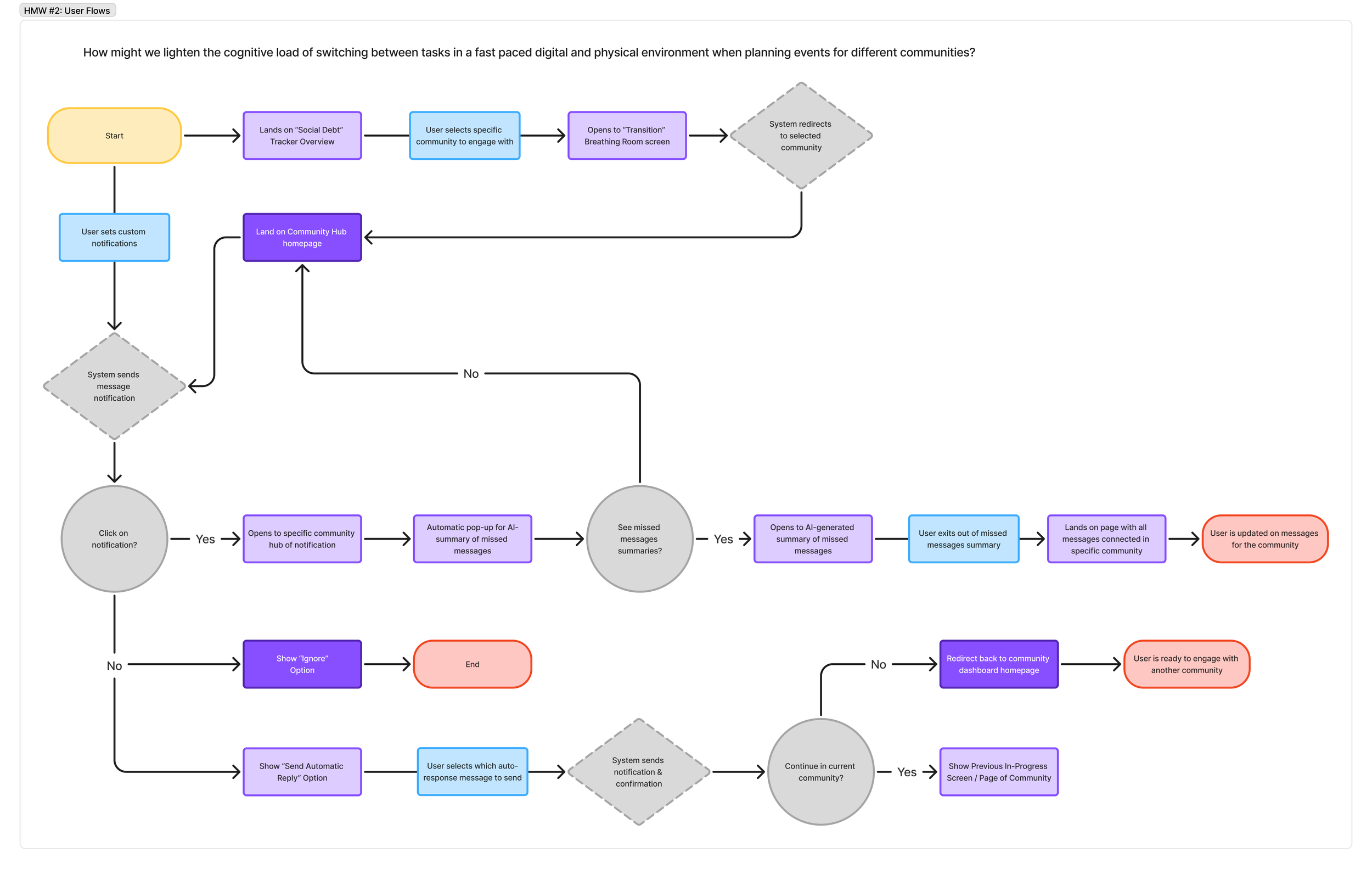
Concept #2: User Flow
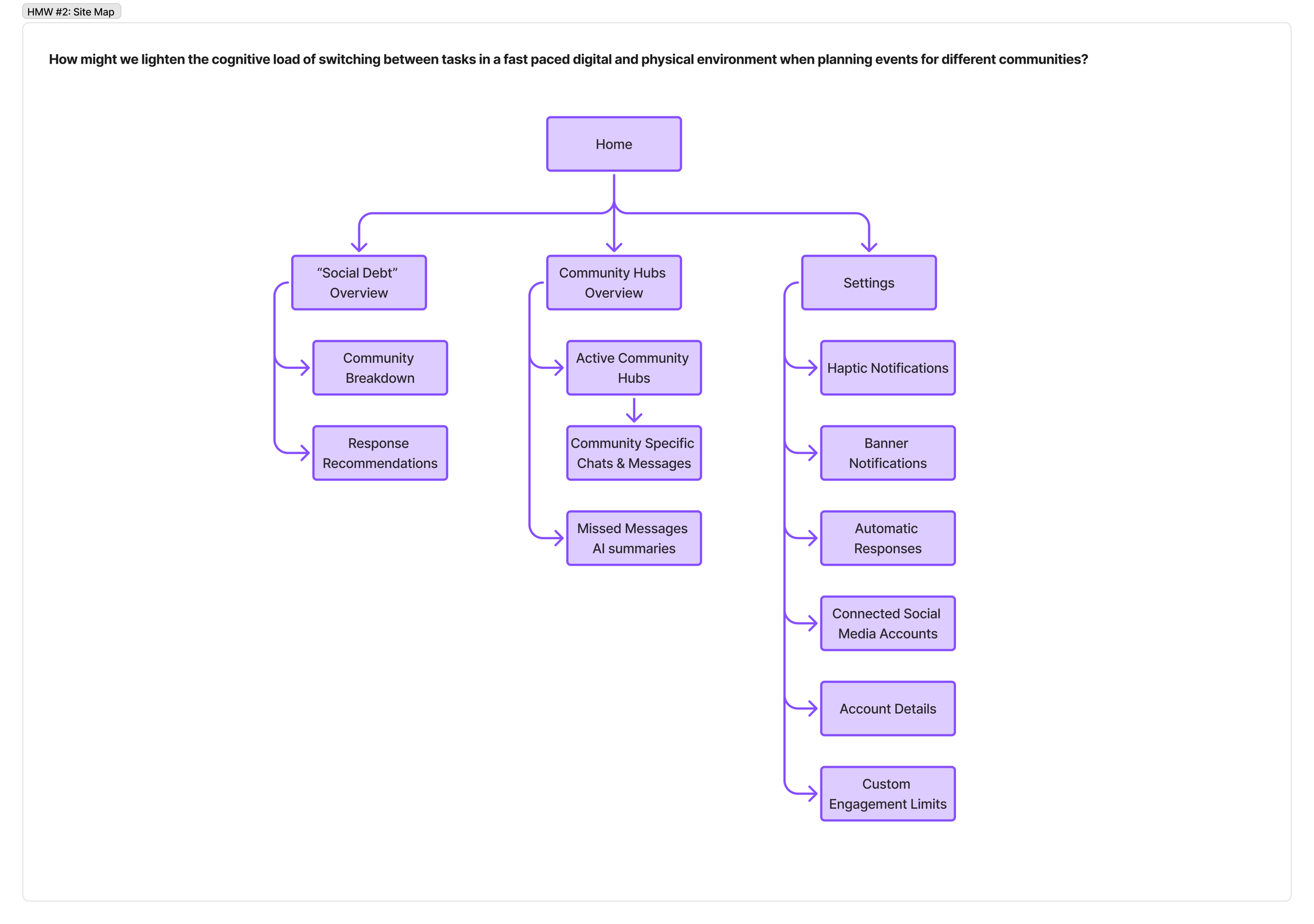
Concept #2: Information architecture site map
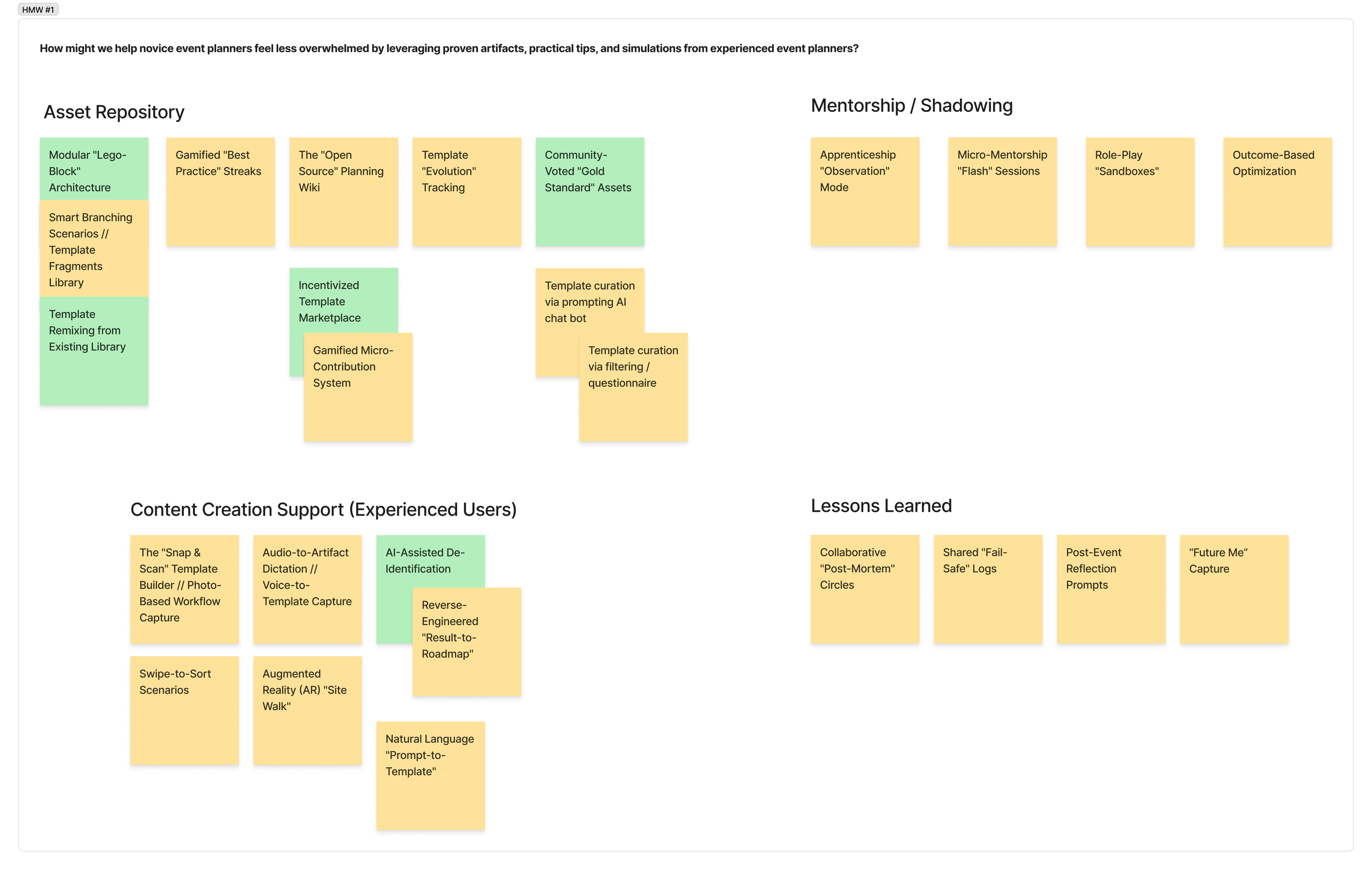
CONCEPT #1: AFFINITY MAPPING
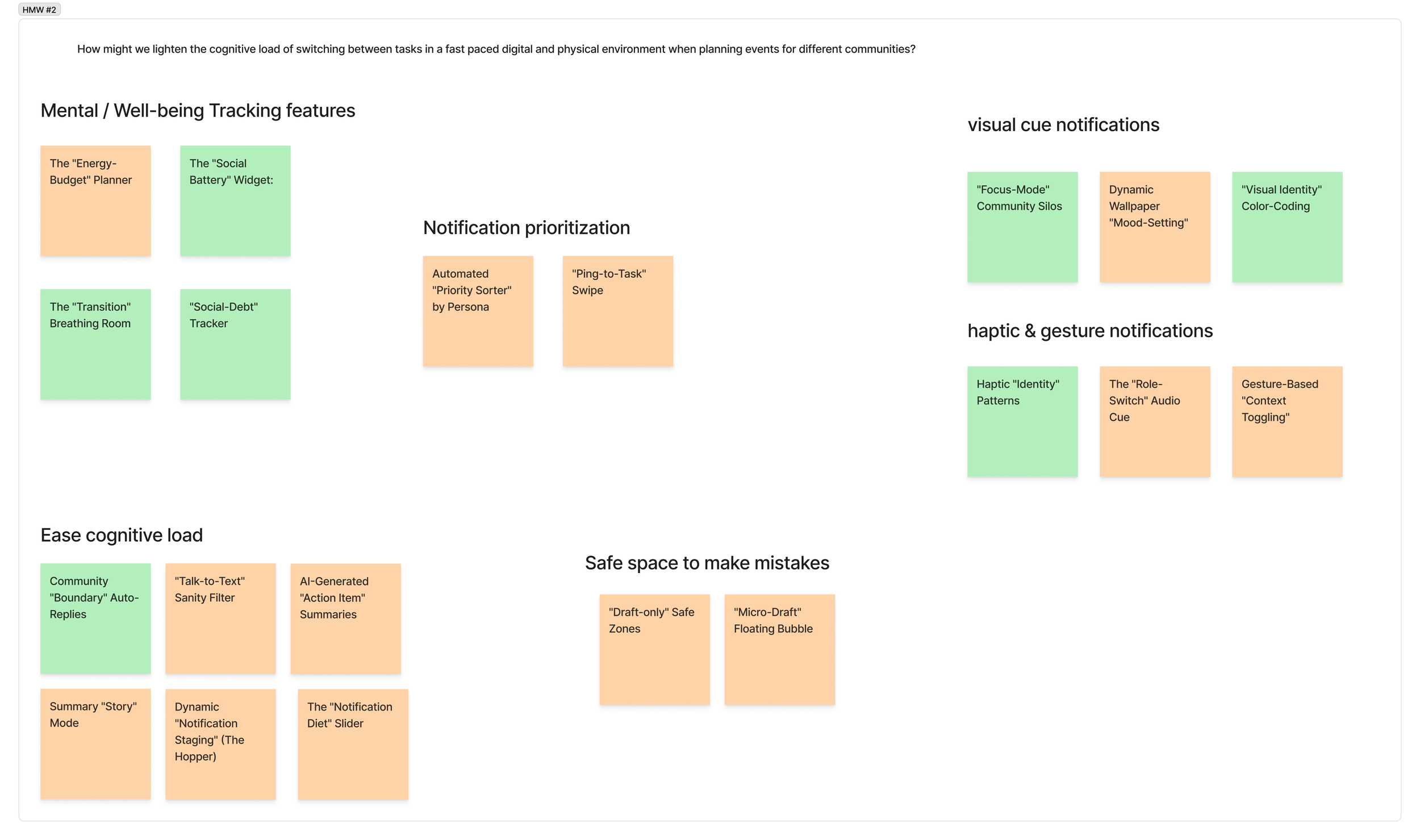
CONCEPT #2: AFFINITY MAPPING
AI Usage statement
AI was only used as a brainstorming partner to generate initial ideas, which I then curated and built upon (pushing beyond the obvious), combined concepts, and developed into more refined concepts.